
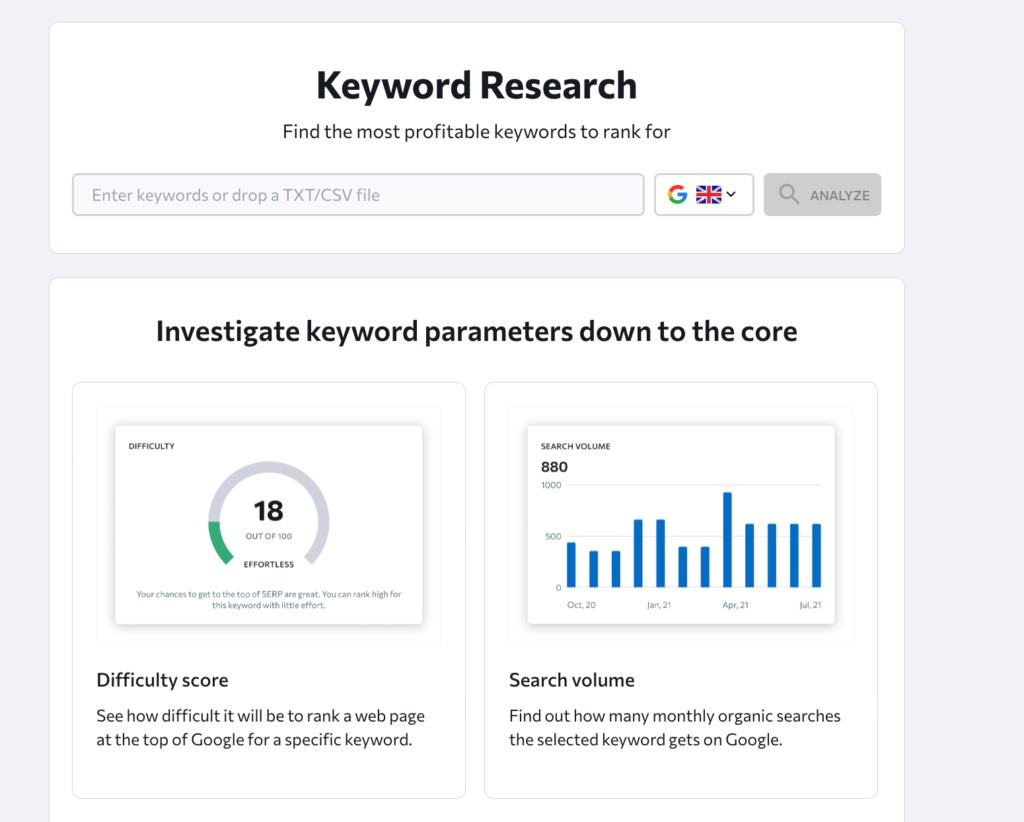
How to Find Keyword Ranking and Track Your SEO Performance
How to Find Your Keyword Ranking
Knowing where your website appears in search results can help you understand whether your SEO efforts are working. If you want to find your keyword ranking, you need to check how your pages perform for the search terms your audience uses—and track how those positions change over time.
A ranking is not a fixed number for every person. Search results can vary by location, device, language and search history. For useful comparisons, check rankings consistently and look at them alongside other measures, such as organic traffic and conversions.
What is a keyword ranking?
A keyword ranking is the position a webpage holds in search engine results for a particular query. If a page appears as the third standard result, for example, it is generally described as ranking in position three. Search results may also include features such as maps, featured snippets, shopping listings and images, so the visible layout can affect how prominent a result is.
Your website will usually have different rankings for different keywords. A page might perform well for a specific, detailed search but appear much further down the results for a broad term.
Ways to find your keyword ranking
Check Google Search Console
Google Search Console is a free service that provides information about how your website performs in Google Search. Its Performance report shows the queries that brought people to your site, as well as impressions, clicks, click-through rate and average position.
To review your data:
- Open the Performance report in Google Search Console.
- Select the date range you want to analyse.
- Choose the Queries tab to see the search terms associated with your site.
- Select a query to review its performance, or use the Pages tab to see which URLs appeared in results.
- Compare periods to spot changes in impressions, clicks and average position.
The average position is an aggregate metric, not a guaranteed ranking for every search. It can combine results from different users, locations and searches, so treat it as a useful indicator rather than an exact live position.
Use a keyword rank-tracking tool
Rank-tracking tools monitor selected keywords and report where chosen pages appear in search results. Many let you set a country, region, language and device, which can make comparisons more relevant to your audience.
When choosing a tool, check how often it updates rankings, which search engines it covers and whether it tracks local results. Make sure you are comparing the same settings over time; a desktop ranking in one location may not match a mobile ranking elsewhere.
Search manually—with caution
You can search for a keyword in a browser to get a quick sense of the results. However, this is not a reliable way to measure your usual position. Search engines may tailor results based on factors such as location, device and previous activity, and the results can change frequently.
If you do a manual check, use a private browsing window and note your location and device. Treat what you see as a snapshot, not a definitive ranking report.
How to track rankings effectively
A single ranking check gives limited insight. For a clearer picture, build a simple, consistent tracking process:
- Choose relevant keywords: Focus on terms that match your services, products or content and reflect what your audience is looking for.
- Track the right pages: Record which URL you expect to appear for each keyword.
- Keep settings consistent: Use the same location, language, device and search engine for comparisons.
- Review trends: Check changes over weeks or months rather than reacting to daily fluctuations.
- Include business outcomes: Consider organic clicks, enquiries, sales and other conversions alongside ranking positions.
A spreadsheet can be enough for a small website. You could record the keyword, target URL, date, ranking, search volume and notes about any changes made to the page.
Why keyword rankings change
Rankings can move for many reasons. Search engines update their systems, competitors publish or improve content, and your own pages may change. Results can also differ by location and device. A movement does not necessarily mean that a page has gained or lost overall visibility, so check the wider data before deciding what to do.
If a page is losing visibility, review whether it still answers the searcher’s question, loads well on mobile devices and provides a useful experience. Check for technical problems, changes to the page or stronger competing content. Avoid making major changes based on one short-term ranking drop.
Rankings are only part of SEO
High rankings can increase the chance that people see your pages, but position alone does not show whether your SEO is delivering value. A page may rank well but attract few clicks if its title and description do not appeal to searchers. It may also attract visitors who are not a good fit for your business.
For a more complete assessment, combine ranking data with impressions, click-through rate, organic traffic and conversions. This helps you understand not just where you appear, but whether your visibility is reaching the right people.
Frequently asked questions
How often should I check my keyword rankings?
For most websites, weekly or monthly reviews are more useful than checking several times a day. The right frequency depends on how quickly your site and market change. Use the same tracking settings each time.
Why does my ranking differ from what someone else sees?
Search results can vary according to location, device, language, search history and the exact wording of a query. Rank-tracking tools also use their own methods and settings, so small differences between reports are possible.
Can I find my rankings for free?
Yes. Google Search Console is a free way to review your site’s search performance in Google. It provides average-position data and query information, though it is not a live rank checker for a specific user and location.
Should I focus on ranking number one?
Top positions can be valuable, but the best goal is relevant visibility that supports your business objectives. A mix of useful rankings, qualified visits and meaningful conversions is more informative than a single position.
Final thoughts
To find your keyword ranking, start with Google Search Console or a rank-tracking tool, then monitor changes using consistent settings. Treat ranking positions as one part of your SEO picture and compare them with traffic and conversion data. This gives you a more practical understanding of how your pages are performing—and where improvements may be worthwhile.
5 Tips for Tracking Your Keyword Rankings
- Use a rank-tracking tool to check keyword positions.
- Track rankings by location and device.
- Compare results across search engines.
- Review changes weekly to spot trends.
- Check competitors’ rankings for useful ideas.
Use a rank-tracking tool to check keyword positions.
Use a rank-tracking tool to check where your pages appear for important keywords in search results. Choose settings that reflect your audience, such as location, language and device, and keep them consistent so you can compare results over time. Track trends rather than reacting to daily fluctuations, and consider rankings alongside organic traffic and conversions to understand whether your SEO is delivering value.
Track rankings by location and device.
Track keyword rankings by location and device to see how your website performs for different audiences. Search results can vary between regions, and mobile rankings may differ from desktop results. Set your tracking tool to match the locations and devices that matter to your business, then use the same settings each time you compare results. This gives you a more relevant picture of your visibility and helps identify where your SEO may need attention.
Compare results across search engines.
Compare your keyword rankings across search engines to see how visible your website is to different audiences. A page may perform well on Google but appear lower in Bing or other search engines, so check each platform using consistent locations, devices and tracking settings. This can reveal opportunities to improve your content and technical SEO, while helping you avoid relying on a single source for a complete picture of search performance.
Review changes weekly to spot trends.
Review your keyword rankings weekly to spot meaningful trends without overreacting to everyday fluctuations. Regular checks can show whether your SEO efforts are improving visibility, or whether particular keywords have started to slip. Compare results using the same location, device and tracking settings each time, and consider ranking changes alongside organic traffic and conversions for a clearer picture of performance.
Check competitors’ rankings for useful ideas.
Check competitors’ rankings for useful ideas by identifying the search terms that bring them visibility and the pages they use to target those queries. This can reveal relevant keywords you may have overlooked, as well as gaps in your own content. Treat competitor rankings as inspiration rather than a template: assess whether each keyword matches your audience and business goals, then create helpful, original content that answers the searcher’s needs.






Leave a Comment