
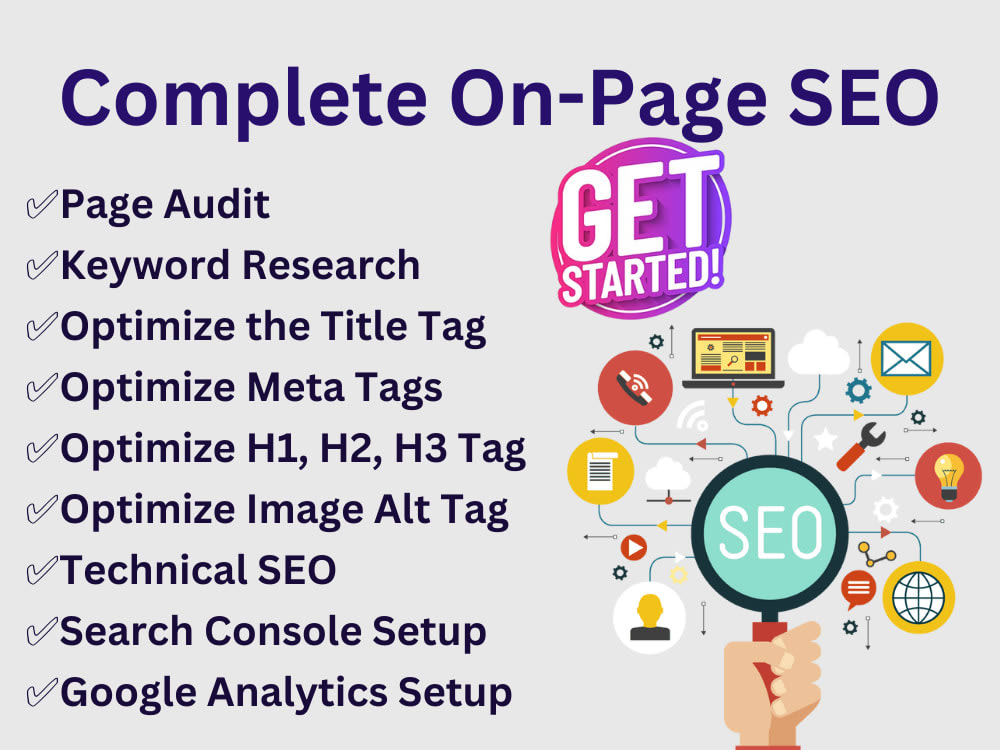
On Page SEO Optimization: A Practical Guide to Better Rankings
On-Page SEO Optimisation: A Practical Guide
On-page SEO optimisation is the process of improving the content and HTML elements on a webpage so that search engines can understand it and visitors can use it more easily. It helps search engines match a page with relevant searches, while giving readers clear, useful information.
On-page SEO is only one part of a wider SEO strategy. Technical performance, links from other websites and your site’s overall reputation also matter. However, well-optimised pages give your website a strong foundation.
Why on-page SEO matters
Search engines analyse the words, structure and other signals on a page to understand what it covers. Clear, relevant content can make that process easier. Good on-page SEO can also improve the experience for visitors by helping them find answers, navigate the page and take the next step.
There is no single adjustment that guarantees a particular ranking. Instead, effective optimisation comes from making a page genuinely useful and ensuring its subject is clear to both people and search engines.
Key elements of on-page SEO
Search intent and keyword research
Start by understanding what people want when they search for a topic. Someone searching for “how to clean a coffee machine” is likely looking for instructions, while someone searching for “coffee machine repair near me” may want a local service.
Research relevant search terms, but do not treat keywords as a checklist to repeat as often as possible. Choose a primary topic for the page and include related terms naturally where they help explain it. The content should answer the searcher’s question, not simply contain a collection of phrases.
Useful, original content
Content is at the heart of on-page SEO. Aim to provide accurate, clear and sufficiently detailed information for your intended audience. Address the main question early, organise supporting details logically and include practical examples where appropriate.
Before publishing, check that the page offers something worthwhile. Avoid copying other websites, adding filler to increase word count or making claims that cannot be supported. Keep information up to date, especially if it relates to products, regulations, prices or changing advice.
Page titles and meta descriptions
The title element, often shown as the blue link in search results, should accurately describe the page. Keep it concise, distinctive and relevant to the content. Include the main topic naturally where it makes sense, and avoid repeating the same title across multiple pages.
A meta description is a short summary that may appear beneath the title in search results. It does not directly determine rankings, but a clear and appealing description can help people decide whether to visit your page. Describe what readers will find and avoid promises the page cannot fulfil.
Headings and page structure
Use headings to make content easier to scan. A page will usually have one main <h1> heading, followed by relevant <h2> headings and, where needed, <h3> subheadings. Headings should describe the sections that follow rather than being used solely to add keywords.
Short paragraphs, informative subheadings and lists can help readers find important points quickly. A logical structure also makes the page easier to maintain and understand.
URL structure
Use a short, readable URL that gives people a reasonable idea of what the page is about. Separate words with hyphens and avoid unnecessary numbers or long strings of parameters where possible. If you change an existing URL, set up a suitable redirect so visitors and search engines are directed to the new address.
Internal links
Internal links connect pages on your website. They help visitors discover related information and help search engines find and understand the relationships between pages. Link to relevant pages using descriptive anchor text, such as “guide to technical SEO”, rather than vague wording such as “click here”.
Check that important pages are not isolated and that links lead to useful, working destinations. Avoid adding links simply for the sake of it.
Images and accessibility
Images can support your content, but large files may slow a page down. Resize and compress images appropriately, use modern formats where supported and provide descriptive file names. Add alternative text to explain an image’s purpose when it conveys useful information. Decorative images can generally have empty alternative text so screen readers can skip them.
Do not force keywords into alternative text. It should describe the image in context and help people who cannot see it.
Readability and user experience
Write in plain language suited to your audience. Make important information easy to locate, ensure text is readable on mobile devices and use navigation that is straightforward. A page should also load reliably and avoid intrusive elements that make the content difficult to access.
A simple on-page SEO process
- Choose the page’s purpose. Decide what question or need the page should address.
- Review the search results. Look at the kinds of pages that appear for relevant searches to understand likely intent. Use this as research, not as a template to copy.
- Plan the content. Outline the main answer and the supporting sections readers may need.
- Write for people first. Explain the topic clearly and include relevant search terms naturally.
- Optimise page elements. Review the title, meta description, headings, URL, internal links and images.
- Check the finished page. Test links, proofread the copy and review the layout on desktop and mobile.
- Monitor and improve. Use analytics and search performance data to identify pages that may need updating.
Common on-page SEO mistakes
- Keyword stuffing: Repeating phrases unnaturally can make content difficult to read and does not guarantee better rankings.
- Duplicate pages: Similar pages with little unique value can make it harder to establish which page should serve a particular purpose.
- Misleading titles: A title that overpromises may attract clicks but disappoint visitors.
- Ignoring mobile users: Content and features should work well on smaller screens.
- Overlooking internal links: Valuable pages can be harder to find if they are poorly connected to the rest of the site.
- Optimising only for search engines: A page should be useful and trustworthy for its intended readers, not just appear to contain the right terms.
On-page SEO checklist
- The page has a clear purpose and meets a recognisable search intent.
- The content is useful, accurate, original and easy to understand.
- The title and meta description accurately describe the page.
- Headings create a logical structure.
- The URL is clear and readable.
- Relevant internal links use descriptive anchor text.
- Images are appropriately sized and have useful alternative text where needed.
- The page works well on mobile devices and is easy to navigate.
- Links and page elements have been checked before publication.
Conclusion
On-page SEO optimisation combines useful content with clear structure and thoughtful technical details. By understanding what readers need, answering their questions well and making each page easy to access and navigate, you can create a better experience for visitors and help search engines interpret your website.
7 Essential Tips for Effective On-Page SEO Optimisation
- Use a clear, descriptive title tag.
- Write a concise, compelling meta description.
- Include your target phrase naturally in the headings and copy.
- Use descriptive, readable URLs.
- Add useful alt text to images.
- Link to relevant pages on your site.
- Make pages fast and mobile-friendly.
Use a clear, descriptive title tag.
Use a clear, descriptive title tag to tell both search engines and potential visitors what your page is about. Keep it concise, make it unique to the page and include the main topic naturally. Avoid vague wording or cramming in keywords; an accurate, compelling title helps people decide whether your page is relevant to their search.
Write a concise, compelling meta description.
Write a concise, compelling meta description that accurately summarises the page and gives people a reason to visit. Keep it clear, relevant and easy to read, include the main topic naturally, and avoid misleading claims or keyword repetition. Although meta descriptions do not directly determine rankings, a useful summary can help your page stand out in search results and encourage clicks.
Include your target phrase naturally in the headings and copy.
Include your target phrase naturally in your headings and copy to make the page’s topic clear to readers and search engines. Use it where it fits, such as in the main heading or an appropriate subheading, and weave it into the text without repetition or awkward phrasing. Prioritise clear, useful writing over keyword density.
Use descriptive, readable URLs.
Use descriptive, readable URLs that clearly indicate what a page is about. Keep them concise, use words separated by hyphens and avoid unnecessary numbers, symbols or long strings of parameters. A clear URL is easier for visitors to understand and share, and can help search engines interpret the page’s topic. For example, /on-page-seo-guide/ is more informative than /page?id=123.
Add useful alt text to images.
Add useful alt text to images to help people using screen readers understand what each image shows and why it matters. Keep descriptions concise and specific, and consider the image in the context of the page. For decorative images that add no meaningful information, use empty alt text so assistive technology can skip them. Avoid keyword stuffing: alt text should describe the image naturally, not serve as a list of search terms.
Link to relevant pages on your site.
Link to relevant pages on your site to help visitors discover useful information and navigate between related topics. Internal links also help search engines find your pages and understand how they connect. Use clear, descriptive anchor text so readers know what to expect when they follow a link, and make sure each link leads to a relevant, working page.
Make pages fast and mobile-friendly.
Make your pages fast and mobile-friendly so visitors can find information easily, whether they are browsing on a phone, tablet or computer. Compress images, avoid unnecessary scripts and use a responsive design that adapts to different screen sizes. Faster, easier-to-use pages create a better experience for visitors and support your on-page SEO efforts.




Leave a Comment